

50+ Laptop Sticker Ideas for Programmers: Best Designs for Every Dev (2026)
There’s a moment every developer knows. You just got a new laptop. It’s clean. It’s pristine. The lid is a perfect blank rectangle of aluminum or plastic, completely devoid of personality. And you think: okay, so what goes on this thing?
That question is harder than it sounds.
Because a laptop lid isn’t just decoration, it’s a statement. It tells the world what you build, what communities you belong to, how seriously you take yourself (or don’t), and whether you’re the kind of developer who considers undefined to be a valid life philosophy. The wrong stickers make your setup look like a random grab-bag. The right ones make it look like a curated autobiography.
The good news? You’ve got options. Thousands of them. The slightly challenging news? That’s exactly why you’re here, to filter it down to the good stuff.
This post covers 50+ laptop sticker ideas for programmers, organized by category so you can find what fits your style, your stack, and your sense of humor. Whether you’re a first-timer who needs a starting point or a sticker veteran looking to fill in the gaps, there’s something here for every dev.
And once you know what you want, you’ll know exactly where to get the best laptop stickers, we’ve got that covered too.
Let’s get into it.
How to Think About Your Laptop Sticker Identity
Your Lid Tells a Story, Make Sure It’s a Good One
Before we dive into the ideas, it helps to think about your sticker layout as a composition, not just a collection. The best-looking developer laptops aren’t just covered in stickers, they’re covered in stickers that make sense together.
Ask yourself three questions:
What do I actually use? Your tech stack is the most authentic foundation. Stickers for languages you actively write and tools you genuinely use carry more authenticity than random logos you threw on because they looked cool.
What do I want to say? Are you the “serious senior engineer” type, the “chaotic gremlin coder” energy, the minimalist who lets the work speak, or somewhere in the middle? Your sticker choices communicate this instantly.
What’s my aesthetic? Colorful and chaotic? Monochrome and minimal? Retro and nostalgic? Modern and clean? Pick a direction and let it guide your selections.
None of this has to be overthought. But having some intentionality makes the difference between a laptop lid that looks like a vision and one that looks like you grabbed everything from the free sticker table at every conference you’ve ever attended and applied them in the dark.
The 80/20 Rule of Laptop Stickers
Here’s a practical framework: roughly 80% of your stickers should be things you genuinely use, believe in, or find deeply funny. The remaining 20% can be purely aesthetic, designs that look great and fill visual space without necessarily being “meaningful.”
This gives your layout authenticity at its core while leaving room for creativity and visual interest. Keep that balance in mind as you browse the ideas below.
Category 1: Programming Language Laptop Sticker Ideas
The Classic Language Logo Stickers
This is where almost every developer’s sticker collection starts, and for good reason. Language logos are instantly recognizable, carry real cultural weight in the dev community, and come in high-quality official or fan-made versions for basically every language in existence.
Here are the top picks by language community:
Python – The intertwined snake logo is one of the most recognizable marks in tech. Clean, iconic, and universally understood. Whether you prefer the full-color official version or a minimalist outline, this is a must if Python is your language.
JavaScript / TypeScript – The yellow JS square badge is simple but unmistakable. The TypeScript blue variant has been rising in popularity alongside TS adoption. Get both and let the tension speak for itself.
Rust – The Rust community has some of the best sticker culture in programming. The gear/crab mascot (“Ferris the crab”) is beloved, and Rust stickers signal serious systems programming credibility right now.
Go (Golang) – The Go gopher is genuinely adorable and immediately recognizable. There are dozens of gopher variant stickers, the default, the gopher in various costumes, the gopher doing developer things, all excellent.
Ruby – The gem logo is clean and elegant. Ruby might have lost some mainstream traction, but Rails developers wear their Ruby stickers with pride.
Kotlin, Swift, and Dart – If mobile development is your world, these are your flags. Kotlin’s K, Swift’s bird, and the Dart logo all make clean sticker designs with strong community recognition.
C / C++ / C# – Sometimes the most powerful flex is the simplest: just the language symbol. C and C++ stickers carry a “I write close-to-metal code” energy that commands respect.
PHP – The PHP elephant (Ellie) is an iconic mascot that makes for a charming sticker. PHP developers have a uniquely self-aware humor about their language, and the best PHP stickers lean into that.
Haskell, Elixir, Clojure – For the functional programming crowd, these are identity stickers. Wearing an Elixir or Haskell sticker is a quiet signal to anyone who reads it: I think differently about code.
Newer and Rising Language Sticker Ideas
The sticker culture around newer languages is actively growing. Watch for:
- Zig – A minimalist low-level language with a growing fanbase and clean logo
- Bun / Deno – The JavaScript runtime wars are generating solid sticker designs
- Gleam – A functional language with genuinely beautiful branding
- Mojo – The new AI-focused language getting traction fast in 2025–2026
Stickering a rising language before it goes mainstream is the developer equivalent of investing early. When someone recognizes it six months later, the conversation practically writes itself.
Category 2: Developer Tools and Framework Sticker Ideas
Version Control and DevOps Stickers
If language stickers are your foundation, tool stickers are your personality layer. These show how you work, not just what you write.
Git – The Git logo sticker is practically universal. But the funny Git stickers are where it gets interesting: git push —force, git blame, git commit -m "fix", and the always relatable git stash pop all make excellent stickers that resonate with every developer who’s ever touched version control.
Docker – The Docker whale carrying containers is one of the most beloved mascots in infrastructure. A Docker sticker is practically required kit for anyone working in containerized environments.
Kubernetes – The Kubernetes helm wheel is clean and professional-looking. If you’re running k8s in production, this sticker communicates “I manage complexity for breakfast.”
Linux / Tux – Tux the penguin is one of the most iconic mascots in all of open-source culture. A Tux sticker is timeless, universally recognized, and works on any setup aesthetic.
Vim – The Vim logo sticker has layers of meaning in it. It says: I cared enough to learn this. I survived the learning curve. I now exit Vim on command. It’s a badge of honor.
VS Code / JetBrains – For the non-Vim contingent, editor stickers are tribal flags. VS Code’s logo is clean and modern; IntelliJ, PyCharm, WebStorm and the other JetBrains IDEs all have recognizable iconography.
Frontend Framework Sticker Ideas
The frontend wars are alive and well on laptop lids everywhere:
- React – The atomic orbit logo is everywhere for a reason. Universal and recognizable.
- Vue -The green V logo has a clean, satisfying geometry that looks great on a dark laptop.
- Angular – For the enterprise crowd. The red A is unmistakable and slightly intimidating, which feels appropriate.
- Svelte – The orange flame logo is one of the cleanest framework logos in the game. Svelte developers are a small and passionate crew, and the sticker signals that.
- Next.js / Nuxt / Remix – Meta-framework stickers for the full-stack brigade.
Cloud and Infrastructure Sticker Ideas
- AWS, GCP, and Azure logos for the cloud infrastructure tribe
- Terraform (the T diamond) for infrastructure-as-code practitioners
- Ansible, Jenkins, CircleCI, GitHub Actions for CI/CD enthusiasts
- Vercel, Netlify, Railway for the JAMstack crowd
Category 3: Funny Developer Humor Sticker Ideas
The All-Time Classic Coding Humor Stickers
This is the category that makes non-developers do a confused head-tilt and fellow developers burst out laughing. These are the stickers that start conversations, break the ice at conferences, and make your standup moderator chuckle.
The absolute classics, the ones that have stood the test of time and still land every single time:
- “It works on my machine” – The eternal developer excuse. Possibly the single most universal piece of dev humor ever codified into sticker form.
- “There’s no place like 127.0.0.1” – The localhost-as-home joke. Timeless, clever, and beloved across the entire dev community.
- “It’s not a bug, it’s a feature” – The defensive programmer’s battle cry.
- “I test in prod” – Dark, chaotic, and deeply relatable to anyone who’s ever been under a deadline.
- “Deploy on Friday” – The ultimate act of developer chaos. Also the best possible way to ruin a weekend.
- “sudo make me a sandwich” – The classic Unix privilege escalation joke from xkcd, beloved by Linux users everywhere.
// TODO: fix this later– Because later never comes, and every developer knows it.- “Have you tried turning it off and on again?” – The IT support mantra, now immortalized in vinyl.
- “Hello, World” – Simple, foundational, and understood by every developer regardless of language or experience level.
- “404: Sleep Not Found” – The developer’s relationship with sleep, accurately documented.
More Funny Programmer Sticker Ideas
Beyond the classics, these hit hard with technical audiences:
while(true) { coffee(); }– The developer’s actual runtime loop.- “Git blame yourself” – For when the git history reveals uncomfortable truths.
- “Tabs > Spaces” or “Spaces > Tabs” – Pick your side. The argument will find you.
- “I survived the npm install” – For anyone who’s watched their node_modules grow to 500MB.
- “Merge conflicts are just opportunities” – Unhinged optimism for the version control era.
- “My code works. I don’t know why.” – Peak developer honesty.
- “Error 418: I’m a teapot” – The HTTP status code joke that never gets old among API developers.
- “Caffeine-driven development” – Because TDD stands for two different things now.
- “In case of fire: git commit, git push, leave building” – Emergency protocol for developers.
- “Schrödinger’s Code: simultaneously working and broken” – Quantum mechanics meets QA.
Role-Specific Humor Sticker Ideas
Tailor your humor to your specialty:
- Frontend: “CSS is awesome” (the classic overflowing box joke), “It looked different in Figma”, “Responsive design is my cardio”
- Backend: “I speak fluent SQL”, “RESTful but never resting”, “JSON is my love language”
- DevOps: “It’s always DNS”, “Works in staging”, “kubectl my way out of this”
- Data Science: “Correlation ≠ Causation”, “In Data We Trust”, “Overfitting my life choices”
- Security: “I am the threat model”, “CVE pending”, “Trust no input”
For role-specific sticker inspiration paired with matching apparel, TechGeeksApparel’s full programmer sticker collection has you covered across specialties, and pairs perfectly with their funny developer t-shirts for a fully coordinated setup.
Category 4: Retro and Vintage Tech Sticker Ideas
Nostalgia-Driven Designs That Hit Different
There’s a whole aesthetic movement in developer culture around retro computing, and it translates beautifully to stickers. These designs appeal to developers who remember the early days of personal computing and to younger developers who find the aesthetics genuinely compelling.
- Floppy disk art – The save icon that Gen Z has never used but all developers recognize
- CRT monitor pixel art – Classic boxy monitor designs with green or amber phosphor screens
- Dial-up modem “connecting” art – Pure nostalgia for anyone who remembers the sound
- Command line terminal aesthetic – Green text on black, classic prompt styling
- Original Macintosh – The beige box Mac design is iconic and beautiful in sticker form
- “Y2K Survivor” badge – The developer version of a war ribbon
- Punchcard art – For the truly vintage-minded
- Space Invaders / Pac-Man pixel art – Gaming nostalgia meets tech culture
- Atari / Commodore 64 logos – Sacred text for computing historians
- Binary code art – Readable binary that spells something clever (look closely)
The retro aesthetic pairs brilliantly with TechGeeksApparel’s retro tech t-shirt collection if you want to extend the vintage vibe beyond your laptop lid.
Category 5: Minimalist and Clean Sticker Ideas
For Developers Who Like Their Code AND Their Lid Clean
Not everyone wants a maximalist sticker explosion. Some developers prefer a more restrained approach, a few carefully chosen pieces that make a precise statement. Minimalist sticker ideas:
- Single language logo, centered – One perfectly placed Python or Rust logo on an otherwise clean lid
- Monochrome tool logos – Black and white versions of your favorite tool logos
- Single-line code art – Something like
return coffee;orexit(0)in clean monospace font - Geometric circuit board pattern – Abstract, clean, technical-looking without being loud
- Terminal prompt sticker – A simple
user@hostname:~$in clean type - Minimal binary art – Subtle binary patterns that form a hidden message
- Single word stickers – “DEBUG”, “DEPLOY”, “REFACTOR” in clean sans-serif type
- Clean brand logo – Your company’s logo, a project you contribute to, or a community you belong to
- Mathematical notation – For the CS theory crowd; a complexity class like O(1) or a key algorithm reference
- Coordinate sticker – The coordinates of your city or a meaningful location, in clean type
Category 6: Open-Source and Community Sticker Ideas
Show Your Affiliations and Community Memberships
These stickers do double duty, they look great and they signal community membership to other developers who recognize them:
- Linux distribution logos – Arch, Ubuntu, Debian, Fedora, Pop!_OS, NixOS all have passionate communities and recognizable branding
- Mozilla Firefox – Supporting the open web with a classic
- Wikipedia / Wikimedia – For the knowledge-is-free crowd
- Electronic Frontier Foundation (EFF) – Privacy and digital rights advocacy badge
- Creative Commons – Open licensing support
- FOSS project logos – Whatever open-source projects you contribute to or use daily
- Hackathon stickers – Event-specific, irreplaceable, and conversation gold
- University or bootcamp – Your alma mater or coding school, especially if it has good design
- Local tech meetup – Regional developer community badges carry authentic grassroots energy
- Your own project logo – If you’ve built something with a logo, wear it
Category 7: Pop Culture Tech Crossover Sticker Ideas
When Fandoms and Code Collide
Some of the most clever sticker designs exist at the intersection of developer culture and wider pop culture:
- “One does not simply deploy to production” – LOTR meets DevOps
- “May the
git pushbe with you” – Star Wars meets version control - Daft Punk “Work It Harder Better Faster Stronger” → programming remix – A classic mashup
- Matrix green rain but it’s actual code – The aesthetic that started the whole “hacker movie” visual language
- Breaking Bad “I am the one who ships” – For the project owners
- “Winter is coming… to production” – Game of Thrones meets release management
- Mando’s “This is the way” → “This is the /dev/null” – Deep cut for Unix people
Building Your Layout: Putting the Ideas Together
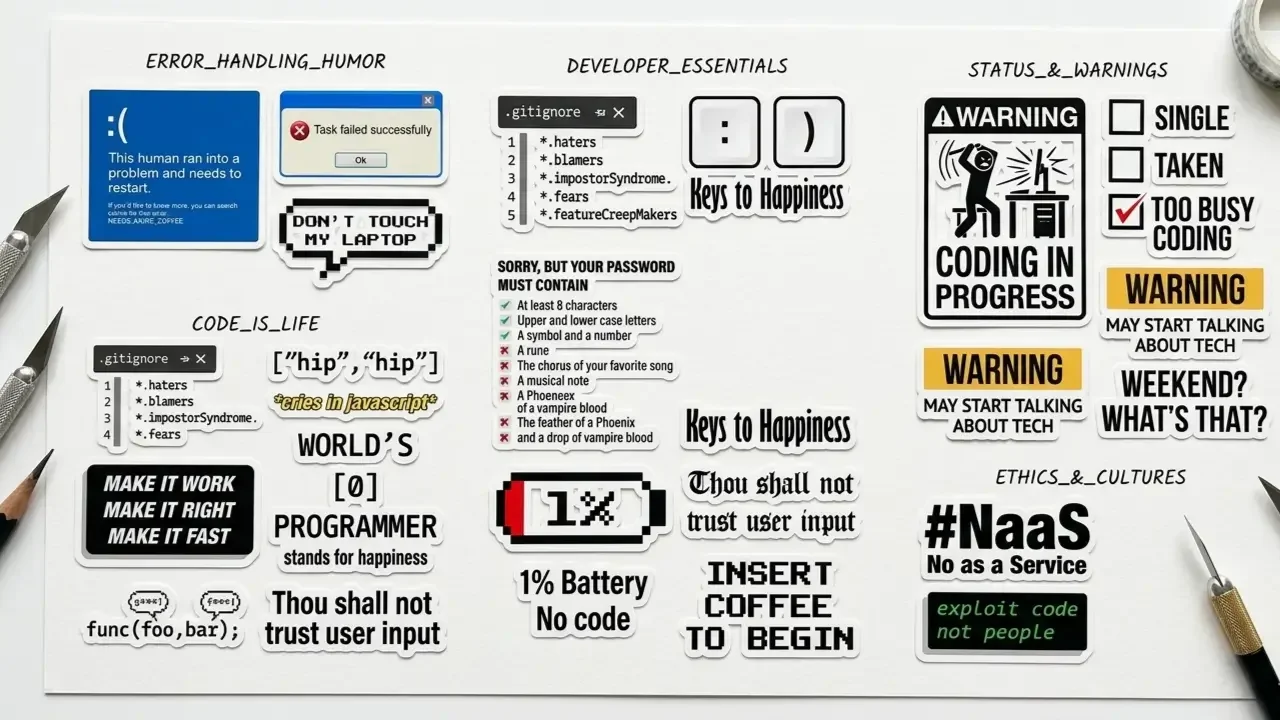
Start With an Anchor, Build Outward
Once you’ve picked your stickers, the application strategy matters. Start with your single most meaningful sticker, usually your primary language or your favorite humor piece, and treat it as the visual anchor. Place it near the center or in a visually prominent spot, then build your layout outward from there.
Vary sizes (mix 1-inch, 2-inch, and 3-4 inch pieces), leave intentional negative space, and don’t feel pressure to fill every inch. A 60–70% coverage layout often looks more deliberate and clean than 100% coverage.
Think About Grouping and Visual Flow
Group related stickers loosely, language logos in one zone, humor stickers in another, tool logos creating a bridge between them. This kind of loose organization creates visual rhythm without making the layout feel rigid.
Before committing anything permanently, lay your stickers out on a flat surface and photograph the arrangement. Iterate digitally before you peel a single backing. Your future self will thank you.
For the full picture on safe application, removal, and which surfaces to be careful with, our complete guide to laptop stickers for programmers covers everything including the technical safety side. And if you’re on a Dell machine specifically, our guide on laptop stickers for Dell walks through surface compatibility and sizing for Dell’s various models.
Complete Your Developer Aesthetic
Your laptop lid is the first thing people see when you open your machine in a meeting, a coffee shop, or a hackathon. But it’s not the only way to signal your developer identity.
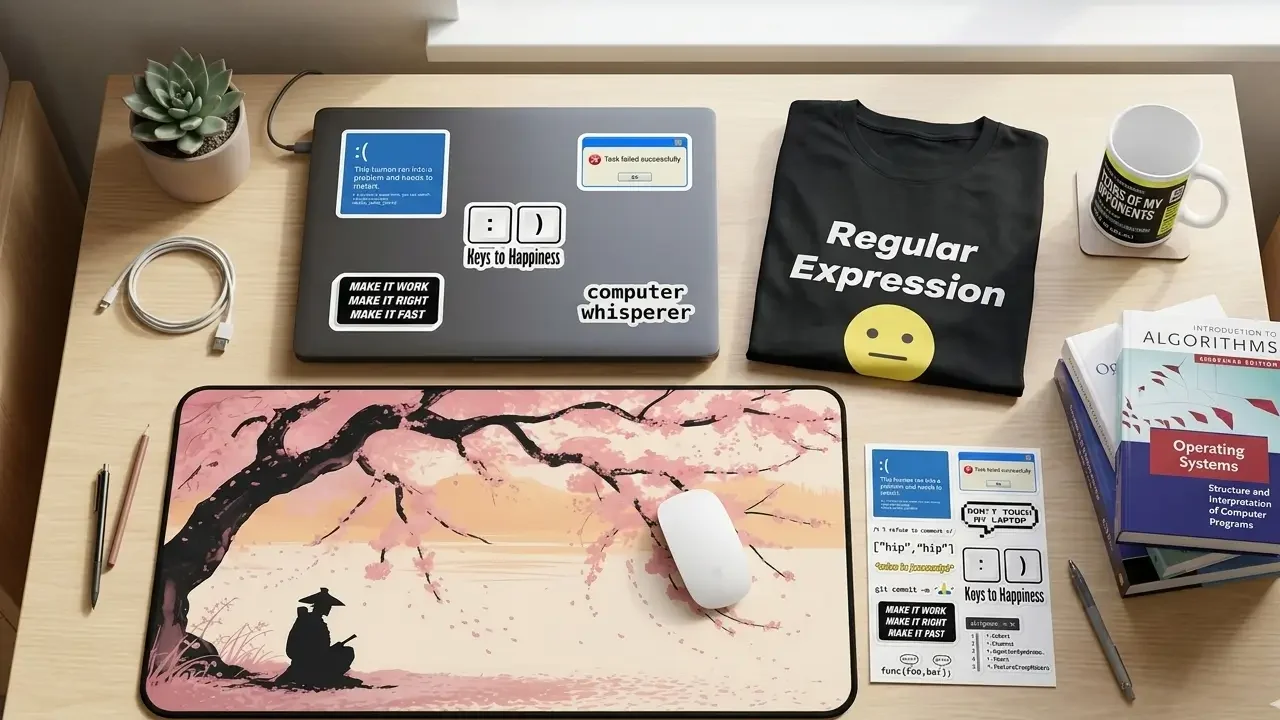
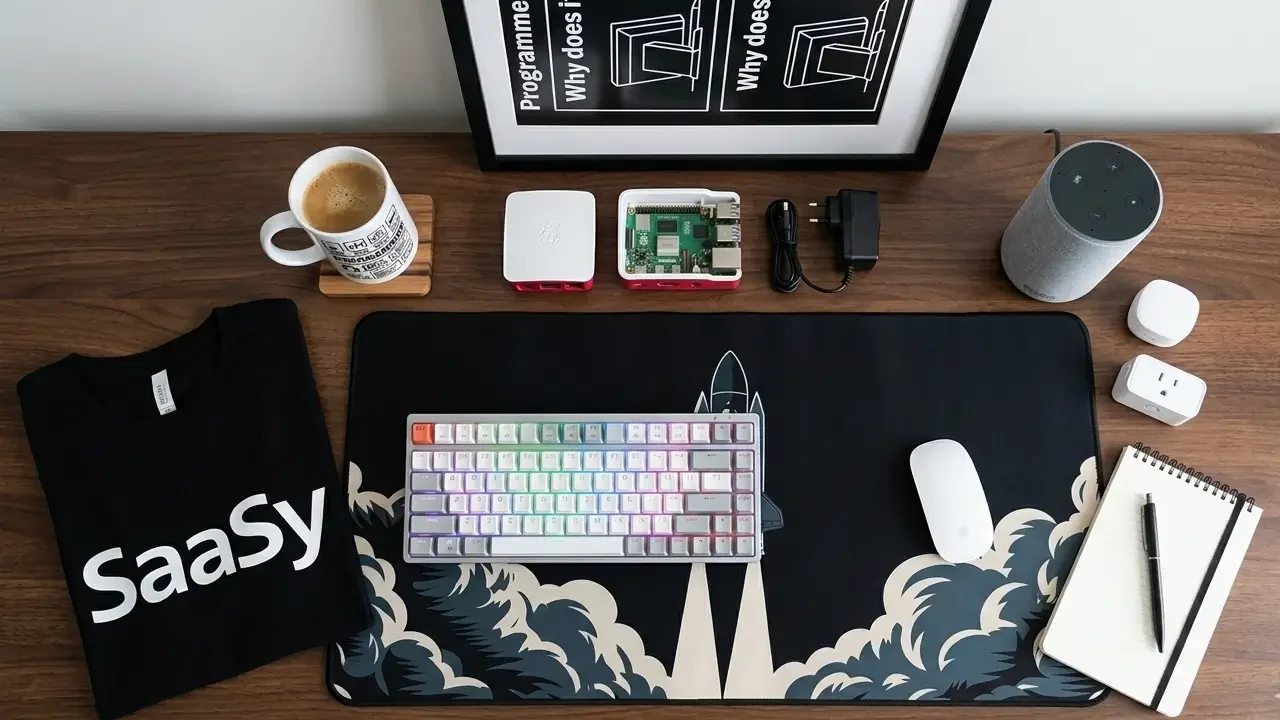
TechGeeksApparel makes the rest of your setup speak the same language. Their programmer sticker packs are built for exactly the ideas in this post, vinyl quality, developer-specific humor, role-appropriate designs. Layer in a geek sweatshirt for the long debugging sessions, a developer desk mat for your workspace, and a tech wall poster for the background of every Zoom call you’ll ever be on.
The stickers start the story. The rest of the setup finishes it.
Conclusion – Your Stickers, Your Story
Fifty-plus ideas is a lot. You don’t need them all. You don’t even need most of them. What you need is the handful that genuinely represent you, your stack, your humor, your community, your aesthetic.
Start there. Add slowly. Let your collection evolve as your skills and interests evolve. The best developer laptop lids aren’t built in a day, they accumulate over time, one meaningful sticker at a time, each one a small record of where you’ve been and what you’ve built.
Now go build your lid.
Frequently Asked Questions
What are the best laptop sticker ideas for programmers just starting out?
Start with three things: your primary programming language logo, one funny coding humor sticker (the “It works on my machine” classic is always a safe bet), and one tool or framework you use daily. That’s a clean foundation. Build from there as you collect more stickers organically from conferences, communities, and shops like TechGeeksApparel.
What sticker ideas work on a black laptop?
High-contrast designs work best on dark lids, white or bright-colored logos, neon accent stickers, and designs with a white border or background. Avoid dark stickers on dark lids; they’ll disappear visually. Holographic or metallic stickers also look exceptional on black surfaces. Check our dedicated guide on developer laptop stickers for dark-lid-specific picks.
Are there laptop sticker ideas that are also professional-looking?
Yes, minimalist sticker approaches work well in professional contexts. A single language logo, a clean tool badge, or a simple typographic sticker can look polished and intentional rather than cluttered. Monochrome versions of popular logos are a great option for developers who want personality without chaos. See our post on are laptop stickers unprofessional for a full take on the professional etiquette question.
How do I find sticker ideas for my specific programming language or tool?
Search “[language/tool name] sticker” on Redbubble, Etsy, or the official project’s website. Most popular languages have official or fan-made stickers available. For developer humor specific to your stack, TechGeeksApparel’s sticker packs cover web dev, network engineering, data science, and more.
How many stickers should I put on my laptop?
There’s no fixed number, but a good rule of thumb is to cover 50–75% of the lid rather than going wall-to-wall. This leaves enough negative space for each sticker to be visible and read clearly, and makes the layout look intentional rather than overwhelming. Quality and intentionality beat quantity every time.
![A clean flat lay of nerdy gift ideas under $50, featuring a "World's [0] Programmer" t-shirt, a "I Learned Patience the Hard Way" mug, mechanical keyboard keycaps, and tech-themed books](https://techgeeksapparel.com/wp-content/uploads/2026/06/nerdy-gift-ideas-under-50-programmer-essentials.webp)