
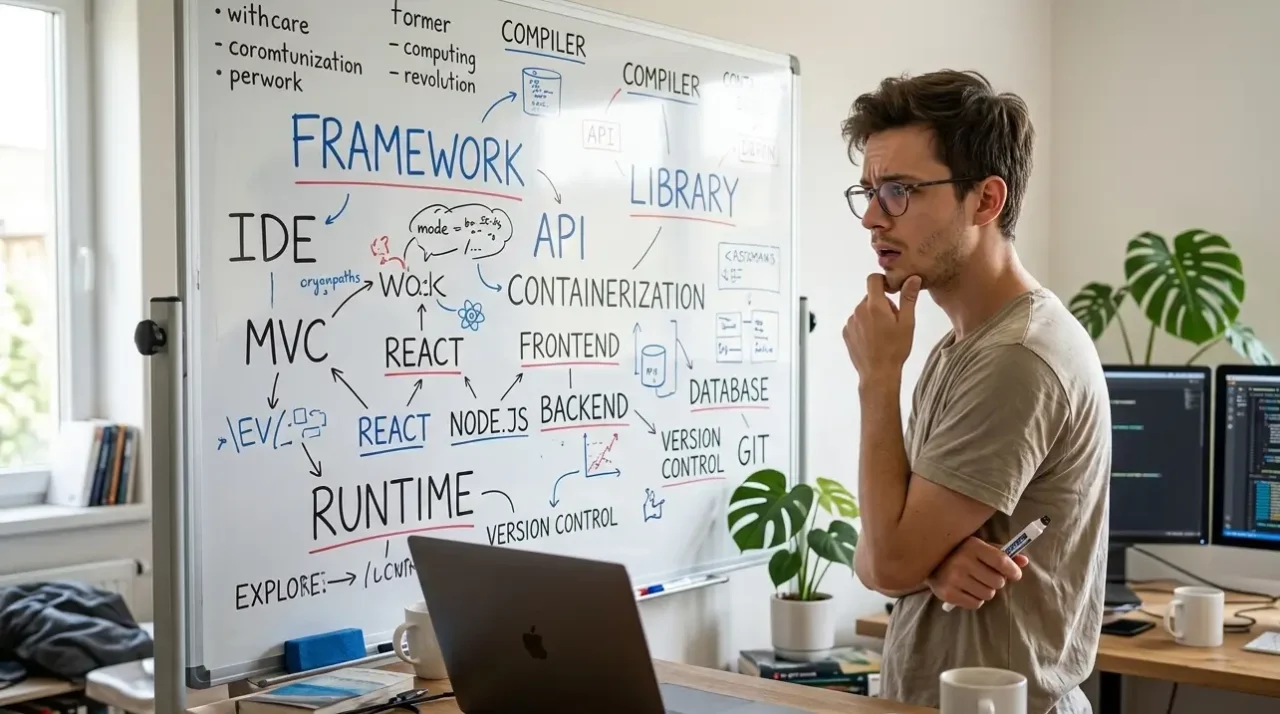
What Even Is a Framework? Programming Languages, Libraries & Tools Explained Simply
Let me paint you a picture.
You’ve been learning to code for a few months. You’ve written some HTML, styled it with CSS, maybe dabbled in JavaScript. You’re feeling pretty good. Then someone mentions React, and you nod like you know what that is. Then Bootstrap. You nod again. Then someone says “just use Django for the backend” and you smile and immediately Google “what is Django” in a private tab.
Sound familiar?
Here’s the thing — nobody draws the map. You get thrown into a jungle of terms: frameworks, libraries, runtimes, IDEs, package managers, CMS, stacks — and everyone around you talks like these things are obvious. They’re not. They were never explained to you in a way that showed how they connect.
That’s exactly what this post does. We’re going to build the map, piece by piece, in plain English. By the end, you’ll not only understand what each term means — you’ll understand why it exists and how everything fits together. No condescension, no jargon soup. Just clarity.
Let’s go.
The Big Picture: Think of It Like Building a House
Before we define anything, let’s set up an analogy that we’ll keep coming back to throughout this post.
Imagine you’re building a house.
- The programming language is your raw building material — the bricks, wood, and concrete. Everything is made from it.
- The framework is the architectural blueprint and pre-built structure — walls already framed, rooms pre-defined, plumbing roughed in. You build inside it.
- A library is a power tool or prefabricated component — a pre-hung door, a cabinet set. You choose when to use it and when not to.
- The IDE is your workshop — the place where you do all your work, with all your tools organized around you.
- The package manager is the hardware store delivery service — you say what you need, it shows up.
- The database is the storage room where all the house’s records, inventory, and history are kept.
- The CMS (like WordPress) is a prefab home — the whole structure already built, you just move in and decorate.
- The terminal/CLI is the walkie-talkie you use to talk directly to the foreman (your computer’s operating system). Feels intimidating. Turns out it’s just faster.
Keep that analogy in your head. We’ll revisit it. Now let’s go one by one.
Programming Languages — The Raw Material
A programming language is how you give instructions to a computer. That’s it. Computers don’t understand English — they speak in binary (1s and 0s). A programming language is the translator in the middle that lets you write something human-readable that eventually gets converted into something the machine can execute.
Different languages were built for different purposes, different levels of control, and different types of problems.
Frontend Languages (What You See in the Browser)
These are the languages that create what users see and interact with in a browser.
- HTML — Not technically a programming language (it’s a markup language), but it’s the skeleton of every webpage. It defines structure: headings, paragraphs, images, buttons.
- CSS — Also not a programming language (it’s a stylesheet language). It handles all the visual styling: colors, fonts, layout, spacing. HTML is the bones; CSS is the skin and clothes.
- JavaScript — This is the actual programming language of the browser. It makes things interactive — buttons that respond, forms that validate, content that updates without reloading the page.
Backend Languages (What Runs on the Server)
These run on a server (a computer somewhere in the cloud) and handle logic, data, and everything the user doesn’t see.
- Python — Clean, readable, wildly popular. Used for web backends, data science, AI, automation. Beloved by beginners and experts equally.
- PHP — Powers a huge chunk of the internet (WordPress is PHP). Older, sometimes mocked, still massively in use.
- Java — Verbose but powerful. Used in enterprise software, Android apps, large-scale systems.
- Ruby — Elegant and developer-friendly. Famous for Ruby on Rails, a web framework.
- Go (Golang) — Fast, modern, built by Google. Great for high-performance servers.
- C / C++ — Low-level and powerful. Used when you need serious control over hardware and performance. Not beginner territory.
Languages That Do Both (or Can)
- JavaScript / Node.js — JavaScript started as a frontend-only language. Then Node.js arrived (more on that later) and let JS run on the server too. Now JavaScript can be used everywhere.
- Python — Can also be used for frontend-adjacent work, though it’s primarily a backend and data language.
- TypeScript — JavaScript, but with strict typing rules. Compiles to JavaScript. Think of it as JavaScript wearing a seatbelt.
The key point: The language is just the writing system. What you build with it depends entirely on the tools you combine it with. Which brings us to frameworks.
Frameworks — The Blueprint You Build Inside
A framework is a pre-built structure written in a specific programming language. It gives you a skeleton to work inside — rules, conventions, folder structures, and prebuilt functionality — so you don’t have to start from zero every single time.
The important word here is structure. A framework tells you how your code should be organized. It makes certain decisions for you so you can focus on building the specific thing you’re making.
Think of it this way: you could cut every piece of wood yourself, mix your own concrete, and wire electricity from scratch. Or you could buy a pre-framed house shell and just work on the interior. The framework is the shell.
Frontend Frameworks (and the Bootstrap Question)
This is where a lot of confusion lives, so let’s address it directly.
Bootstrap — When you first hear about Bootstrap, it sounds like some mystical layer on top of CSS. It’s not. Bootstrap is a CSS (and JavaScript) library/framework — a pre-written collection of styles and components that you can apply to your HTML. Instead of writing all your button styles, grid layouts, and navigation bars from scratch, Bootstrap gives you ready-made classes.
So:
- You write HTML.
- You add CSS to make it look good.
- You use Bootstrap to skip writing most of that CSS yourself — because Bootstrap already has a grid system, pre-styled buttons, modals, and more.
Is Bootstrap a library or a framework? Honestly, it blurs the line — it’s often called both. The distinction matters less than understanding what it does: it speeds up your styling work.
React — This is a JavaScript framework (technically a library, but it functions like a framework in practice) built by Facebook/Meta. Instead of writing HTML directly, you write components — reusable pieces of UI — in JavaScript. React apps feel fast and interactive because they update only the parts of the page that change, instead of reloading everything.
Vue.js — Similar to React, but often considered gentler for beginners. Same concept: component-based, reactive UI.
Angular — A full-featured frontend framework by Google. More opinionated than React or Vue — it makes more decisions for you, which means less flexibility but more structure.
Backend Frameworks
Django (Python) — A “batteries included” backend framework. It handles routing, database interaction, user authentication, admin panels — almost everything you need for a web app is already built in. You write Python inside Django’s structure.
Flask (Python) — A “micro-framework.” Much lighter than Django. Gives you less out of the box, which means more flexibility but more work. Good for smaller apps or when you want control.
Laravel (PHP) — The most popular PHP framework. Elegant, modern, and much nicer to work with than raw PHP.
Express.js (JavaScript/Node.js) — A minimal backend framework for Node.js. Very lightweight. Pairs well with React or Vue for full-JavaScript applications.
Ruby on Rails — Famous for its “convention over configuration” philosophy. Incredibly fast to build in. Instagram and GitHub were built on Rails.
Spring (Java) — Enterprise-level backend framework. Powerful, complex, common in large corporate systems.
Full-Stack Frameworks
These handle both frontend and backend, or bridge them together.
Next.js — Built on React. Lets you write React components and server-side logic in the same project. Extremely popular right now for modern web apps.
Nuxt.js — Same concept but for Vue.
SvelteKit — Based on Svelte (a newer frontend framework). Fast and elegant.
Libraries — The Power Tools You Choose to Pick Up
Here’s the distinction that trips everyone up:
A framework calls your code. A library is code you call.
When you use a framework, it’s in charge. It has a structure and you work inside it. When you use a library, you’re in charge — you just pull in specific functionality when you need it.
Think of it like this: a framework is the kitchen (it has a layout, a workflow, rules about where things go). A library is a specific knife or blender you grab when you need it.
Examples of libraries:
- jQuery (JavaScript) — An older JS library that simplified DOM manipulation and AJAX requests. Less essential now since modern JavaScript handles most of this natively, but still encountered constantly in existing codebases.
- pandas (Python) — A data manipulation library. If you’re doing data analysis in Python, you’re using pandas. It’s essentially a spreadsheet you can program.
- NumPy (Python) — Numerical computing. The backbone under pandas and most data science work.
- Lodash (JavaScript) — Utility functions for JavaScript. Stuff like deep-cloning objects, debouncing functions, flattening arrays.
- Axios (JavaScript) — Makes HTTP requests (fetching data from APIs) cleaner and easier.
- Moment.js / Day.js (JavaScript) — Date and time handling. Because JavaScript’s built-in date handling is genuinely terrible.
Wait — Is Bootstrap a Library or a Framework?
You’re not going to like this answer: it’s kind of both, and it doesn’t really matter.
Bootstrap behaves like a library when you just use its CSS classes. You’re pulling in pre-written styles on demand. But it also has a grid system and JavaScript components that give it framework-like structure.
The reason this question drives beginners crazy is that the industry uses these words loosely. Don’t get hung up on the label. Ask instead: what does it do and when do I use it? Bootstrap speeds up CSS work. Use it when you want a responsive, professionally styled layout without writing all the CSS from scratch.
IDEs and Code Editors — Your Workshop
An IDE (Integrated Development Environment) or code editor is simply where you write your code. It’s software on your computer that helps you code faster with features like syntax highlighting (colors that make code readable), autocomplete, error detection, and built-in terminals.
Code editors (lighter, flexible):
- VS Code (Visual Studio Code) — The most popular code editor in the world right now. Free, fast, extensible with thousands of plugins. Most developers use this regardless of what language they’re writing in.
- Sublime Text — Lightweight and fast. Less feature-rich than VS Code but loved for its speed.
- Atom — Made by GitHub. Now discontinued but you’ll still see it mentioned.
Full IDEs (heavier, language-specific):
- PyCharm — Purpose-built for Python. Has deep Python-specific features. Overkill for beginners but powerful for serious Python development.
- WebStorm — Purpose-built for JavaScript. Also by JetBrains (same company as PyCharm).
- IntelliJ IDEA — For Java. The industry standard in enterprise Java development.
- Xcode — Apple’s IDE for building iOS and macOS apps. Mac only.
- Android Studio — Google’s IDE for Android development.
Important note: Your choice of editor has zero effect on how your code runs. A Python script runs the same whether you wrote it in PyCharm, VS Code, or Notepad. The editor is just your workspace. Use whatever makes you productive.
Package Managers — The App Store for Your Code
Here’s a problem: you want to use a library like pandas in your Python project. You could go find it, download it, unzip it, put it in the right folder — or you could type one command and have it done in 10 seconds.
That’s what a package manager does. It’s a tool that finds, downloads, installs, and manages the external code (packages/libraries) your project depends on.
- pip — Python’s package manager.
pip install pandasand pandas is ready to use. - npm (Node Package Manager) — JavaScript/Node.js’s package manager. The most-used package registry in the world.
- yarn — An alternative to npm. Faster in some cases, same concept.
- composer — PHP’s package manager. How you install Laravel and other PHP libraries.
- gem — Ruby’s package manager.
The node_modules folder: If you’ve ever opened a JavaScript project and been horrified by a folder with 50,000 files in it — that’s npm doing its job. Every library you installed brought its own dependencies, which brought their dependencies. It’s folders all the way down.
Runtimes and Environments — What Actually Runs Your Code
This one confuses people because it’s invisible. You write code — but something has to execute it. That something is called a runtime.
Node.js is the most talked-about runtime, and it confuses people because it sounds like a framework. It’s not. Node.js is a runtime environment that lets JavaScript run outside the browser — on a server, on your local computer, anywhere. Before Node.js, JavaScript could only run in a browser. Node.js changed that entirely.
So when someone says “I’m running a Node server,” they mean they’re running JavaScript on a server using the Node.js runtime.
Python’s interpreter is Python’s runtime — when you run a .py file, the Python interpreter reads it and executes it line by line.
Virtual environments (Python): A virtual environment is a sandboxed Python installation for a specific project. Why does this matter? Imagine Project A needs pandas version 1.0 and Project B needs pandas version 2.0. Without a virtual environment, you can only have one version installed globally — causing conflicts. A virtual environment gives each project its own isolated bubble of packages.
Databases — Where the Data Lives
Every app that stores information — user accounts, posts, products, orders — needs a database. A database is an organized system for storing, retrieving, and managing data.
SQL Databases (Relational)
Data is stored in tables with rows and columns — like a very powerful, programmable spreadsheet. Relationships between tables are defined explicitly.
- MySQL — The most common. Powers WordPress and millions of other web apps.
- PostgreSQL — More powerful than MySQL. Preferred for complex, data-heavy applications.
- SQLite — Tiny, file-based. Great for small apps, prototyping, and local development.
NoSQL Databases (Non-relational)
Data is stored in flexible formats — documents, key-value pairs, graphs — rather than rigid tables. Good for applications where data structure varies a lot.
- MongoDB — Stores data as JSON-like documents. Very popular in JavaScript stacks.
- Redis — Extremely fast, used mostly for caching (temporarily storing frequently accessed data).
- Firebase (Firestore) — Google’s real-time database. Popular for mobile apps and projects that need live syncing.
SQL vs NoSQL in one sentence: SQL is a strict, organized filing cabinet. NoSQL is a flexible folder system where documents can have different fields.
CMS Platforms — The Prefab Home
A CMS (Content Management System) is a pre-built application that lets you build and manage a website without writing code from scratch. It handles the database, the backend logic, the admin panel, and often the frontend too.
WordPress — This is where your confusion was spot-on. WordPress is not a “thing apart from coding.” It’s a PHP application sitting on top of a MySQL database, with an admin interface built on top of that. When you install WordPress, you’re running PHP code that someone else wrote. The themes are PHP templates. The plugins are PHP (and JavaScript) extensions. WordPress is basically a ready-made house — you decorate the interior, but you didn’t pour the foundation.
- WordPress.com vs WordPress.org: .com is hosted for you (limited control). .org is the software you install on your own server (full control).
- Shopify — A CMS specifically for e-commerce. Built by Shopify, hosted by Shopify. You’re renting the house.
- Ghost — A CMS built for blogging and publications. Built on Node.js.
- Drupal / Joomla — Older, more complex CMS platforms. Less beginner-friendly than WordPress.
- Webflow / Wix / Squarespace — Visual website builders. Even further from raw code. You drag and drop. These abstract away almost everything.
The trade-off: The more a CMS does for you, the less control and flexibility you have. WordPress gives you a lot of power but also a lot of complexity. Wix is simple but you’re completely locked into their ecosystem.
Version Control — Git and GitHub Simply Explained
Imagine writing a 3,000-word document and accidentally deleting half of it with no undo. That’s coding without version control.
Git is a tool that tracks every change you make to your code over time. It lets you save snapshots (called “commits”), go back to any previous version, work on experimental features without breaking the main code (called “branches”), and collaborate with other developers without overwriting each other’s work.
GitHub is a website that hosts your Git repositories (projects) online. It’s like Google Drive for code, but way more powerful.
Key concepts:
- Repository (repo) — A project folder tracked by Git
- Commit — A saved snapshot of your code at a point in time
- Branch — A parallel version of your code where you can make changes safely
- Merge — Combining changes from one branch into another
- Pull Request (PR) — A request to merge your branch’s changes into the main codebase (used in team environments)
You need Git even if you’re working alone. It’s your time machine and your safety net.
The Terminal / CLI — That Black Screen Everyone Avoids
The terminal (also called the command line, CLI, shell, or console) is a text-based interface for talking directly to your computer. Instead of clicking icons, you type commands.
Every developer eventually uses the terminal. Package managers (pip install, npm install) run in the terminal. Git commands run in the terminal. Starting a local server runs in the terminal. Deploying your app runs in the terminal.
The fear is bigger than the reality. You don’t need to memorize hundreds of commands. You need maybe 20 that you use repeatedly, and you’ll look up the rest as needed. Common ones to start with:
cd folder-name— navigate into a folderls(Mac/Linux) ordir(Windows) — list files in the current foldermkdir folder-name— create a new foldernpm install— install all packages for a JavaScript projectpython app.py— run a Python filegit status— check what’s changed in your repo
The terminal is not your enemy. It’s just a faster, more direct way to do things you could also do by clicking around — once you know the commands.
How It All Layers Together: A Real-World Example
Let’s say you decide to build a blog where users can sign up, write posts, and comment on each other’s work. Here’s every layer you’d touch:
- Frontend: You write HTML for structure, CSS for styling, and JavaScript for interactivity. You use React to build reusable components (the post card, the comment section, the nav bar). You use Bootstrap or a CSS library to speed up your styling.
- Backend: You write a server in Python + Django (or Node.js + Express). Django handles user authentication, routing (what happens when someone visits
/post/123), and talking to the database. - Database: You set up a PostgreSQL database to store users, posts, and comments in organized tables.
- Package Management: You use pip to install Django and other Python libraries. You use npm to manage your React libraries.
- Version Control: You use Git to track all your changes, and GitHub to back it up online and collaborate if you have teammates.
- IDE: You write all of this inside VS Code, which gives you syntax highlighting, autocomplete, and an integrated terminal.
- Terminal: You use the terminal to run your local server, manage Git, and install packages.
- Deployment: Eventually you push this to a cloud server (like AWS, Heroku, or DigitalOcean) so the world can access it.
That stack — React + Django + PostgreSQL — is a real, commonly used tech stack. Every layer has a specific job. Nothing overlaps. Everything depends on what’s below it.
What “Full Stack” Actually Means
A full-stack developer is someone who can work on all the layers: frontend (what users see) and backend (the server, logic, database).
A frontend developer specializes in HTML, CSS, JavaScript, and frontend frameworks like React or Vue.
A backend developer specializes in server logic, databases, APIs, and backend frameworks like Django or Express.
A DevOps engineer specializes in deployment, infrastructure, and the systems that run the code in production.
Most self-taught developers start with one area, become comfortable, then expand. You don’t have to know everything. You have to know your layer deeply and the adjacent layers well enough to communicate with whoever works there.
The Quick Reference Cheat Sheet
| Term | What It Is | Example |
|---|---|---|
| Programming Language | Instructions written in a human-readable syntax | Python, JavaScript, PHP |
| Framework | Pre-built structure you build inside | Django, React, Laravel |
| Library | Reusable code you pull in on demand | pandas, jQuery, Bootstrap |
| IDE / Editor | Where you write your code | VS Code, PyCharm |
| Package Manager | Tool that installs libraries/frameworks | pip, npm, composer |
| Runtime | What executes your code | Node.js, Python interpreter |
| Database | Where data is stored | MySQL, MongoDB, PostgreSQL |
| CMS | Pre-built website application | WordPress, Ghost, Shopify |
| Version Control | Tracks code changes over time | Git + GitHub |
| Terminal / CLI | Text-based interface to your computer | Terminal, PowerShell |
| Stack | The combination of all tools in a project | React + Django + PostgreSQL |
Conclusion
If you’ve been nodding your way through conversations about frameworks, libraries, and CMSs without actually knowing what anyone means — that ends today.
The confusion was never your fault. These terms exist in their own bubble, passed around by people who learned them so long ago they forgot what it felt like not to know. Nobody draws the map. So here it is: the map.
Languages are your raw material. Frameworks are the structure you build inside. Libraries are tools you pick up when you need them. Your editor is your workspace. Your package manager handles your shopping. Your runtime executes the code. Your database remembers everything. Your CMS is the shortcut that comes with trade-offs. Git is your time machine. And the terminal? It’s just a faster way to talk to your computer. You’ll make peace with it.
Now go build something — and when someone mentions a tool you haven’t heard of, you’ll know where to put it in your mental map. That’s the skill. Not memorizing tools, but knowing how to place them.
Check out our developer apparel collection to find the perfect Debugging shirt for your next coding session. You might as well look good while your code is breaking!
Frequently Asked Questions
What’s the actual difference between a library and a framework?
The cleanest way to think about it: with a library, you call the code. You decide when to use it and how. With a framework, it calls your code, it provides the structure and your code fits inside it. React is technically a library but functions more like a framework in practice. Bootstrap is technically a library but gets called a framework too. The labels are used loosely in the industry. Focus on what the tool does, not what it’s called.
Do I need to learn a framework before I get a job?
Almost certainly yes, most job postings for frontend roles ask for React, Vue, or Angular, and most backend roles ask for Django, Laravel, or Express. Raw language skills are foundational, but frameworks are what you build real products with. Once you’re solid on the language basics, pick one framework in your area and go deep. Don’t try to learn all of them simultaneously.
Is WordPress actual programming?
WordPress is a PHP application, so using WordPress (adding themes, clicking in the admin panel) isn’t programming. But developing for WordPress, writing custom themes, building plugins, modifying templates, absolutely is programming. You’re writing PHP, JavaScript, HTML, and CSS. The line is between using the tool as a consumer versus extending it as a developer.
Why does everyone use VS Code?
Because it’s free, fast, endlessly customizable through extensions, works for virtually every language, has a massive community, and is actively maintained by Microsoft. It also has a built-in terminal, Git integration, and an extension marketplace with tools for every workflow. It won by being the best option for the widest range of use cases.
Do I have to use the terminal or can I avoid it?
You can avoid it longer than you think, VS Code has a built-in terminal, Git has desktop GUI apps, and many package operations can be done through IDE interfaces. But eventually, something will require a direct terminal command, and being completely unfamiliar with it will slow you down significantly. Better to spend a weekend learning the 20 most common commands than to dread it indefinitely. It’s genuinely less scary than it looks.
Which programming language should I learn first?
For most people, Python is the best start because it reads like English. If you specifically want to build websites, start with JavaScript.
Do I need to be good at math to code?
Not really! Unless you are building rocket ship trajectories or complex 3D game engines, you mostly just need basic logic and problem-solving skills.
What is the difference between Git and GitHub?
Git is the tool (software) that tracks your changes. GitHub is the website where you store those changes and collaborate with others.
Can I learn to code for free?
Absolutely. Platforms like FreeCodeCamp and MDN Web Docs are world-class and 100% free.
How long does it take to become a developer?
It depends on your goals, but most people can learn the basics in 3-6 months of consistent practice. Becoming “job-ready” usually takes 9-12 months.

![A clean flat lay of nerdy gift ideas under $50, featuring a "World's [0] Programmer" t-shirt, a "I Learned Patience the Hard Way" mug, mechanical keyboard keycaps, and tech-themed books](https://techgeeksapparel.com/wp-content/uploads/2026/06/nerdy-gift-ideas-under-50-programmer-essentials.webp)